


Player rating
BC Game Mauritius App: Android and iPhone
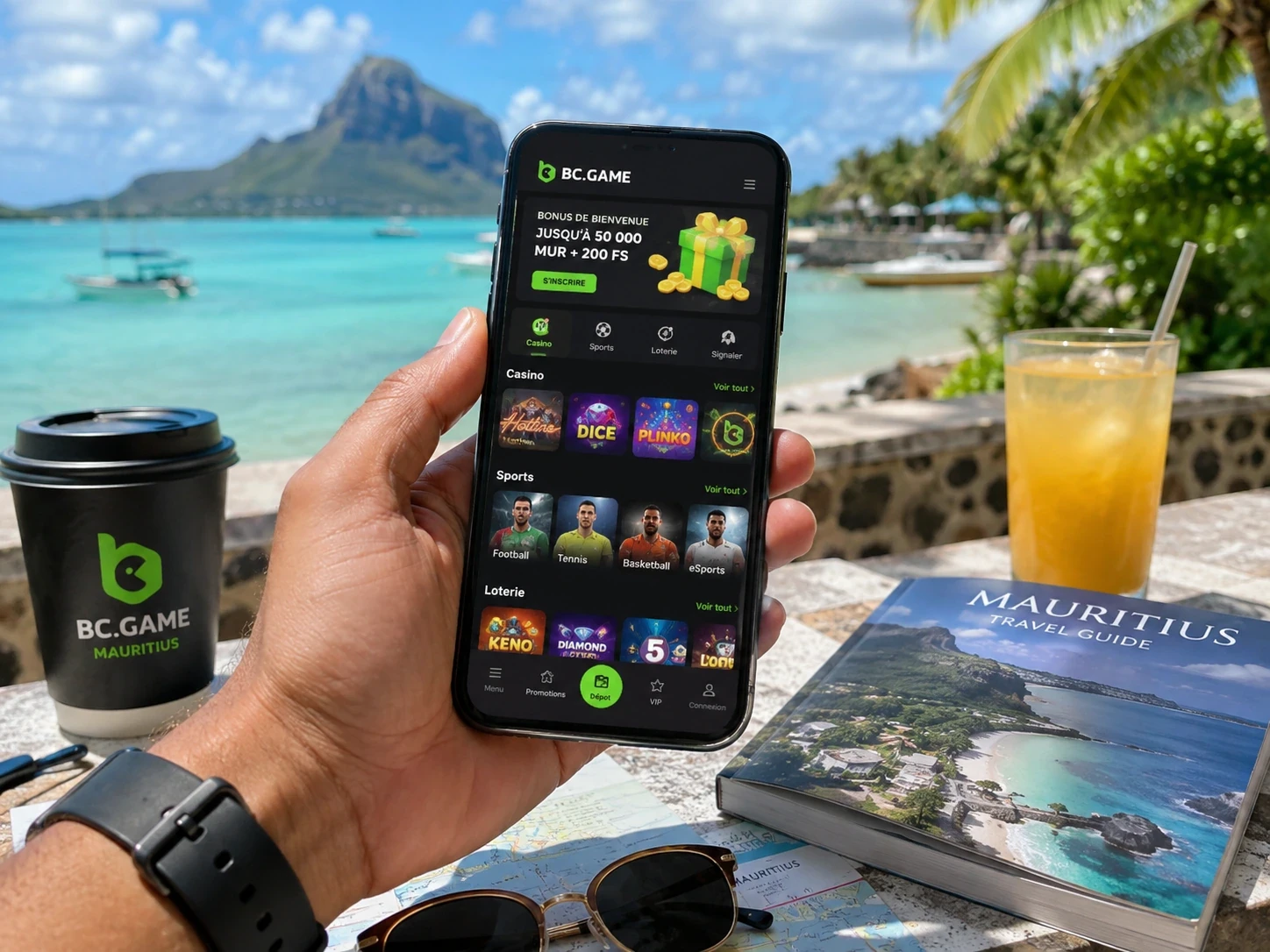
Open on mobileBC Game Mauritius mobile access keeps the full platform available through the same profile. Casino, Sportsbook, Wallet, Bonus, My Bets, Rollover and Security stay connected rather than becoming a separate mobile account.
BC Game on Android
Android users can open BC.GAME directly in Chrome without installing an APK.
If the current BC.GAME page shows Android download or Install App, use that platform route for installation.
- Open the current BC.GAME website in Chrome.
- Choose Android download or Install App if it is displayed.
- Install from the platform route.
- Open the app and sign in to the existing account.
Add BC Game to the Android Home Screen
Chrome can also add the website to the Home Screen as a shortcut.
The shortcut opens the same profile, Wallet and promotions, making it a simple alternative to an installed package.
BC Game on iPhone and iPad
- Open BC.GAME in Safari.
- Tap Share.
- Choose Add to Home Screen.
- Confirm the shortcut.
- Open the icon and sign in to the existing account.
Deleting the icon later does not remove funds, tickets or bonuses because those records stay on the BC Game profile.
Play Casino Games on Mobile
- Browse Slots and provider collections.
- Open Live Casino tables.
- Play BC Originals.
- Search for a game by name.
- Open Favourites from the same profile.
Use the Sportsbook on Mobile
- Filter by sport and competition.
- Open pre-match or live markets.
- Build the ticket in the mobile bet slip.
- Use FreeBet vouchers when eligible.
- Track accepted tickets in My Bets.
Manage Wallet from Your Phone
Deposit, Withdraw, Swap, Transaction and Rollover remain available on mobile.
For crypto, the same asset/network matching applies on phone as on desktop.
A short mobile visit can therefore be used only to check a Deposit, review Rollover or see whether a ticket has settled.
Use the Same Login on a New Device
Email and phone profiles should return through the original registered identifier. Google and Telegram profiles should return through the same connected provider.
If a new phone opens an unfamiliar Wallet, verify the login method before making a new Deposit.
A known Transaction, My Bets ticket or Favourite can help confirm the correct account.
Google Authenticator on Mobile
BC Game 2FA remains attached to the account. Google Authenticator codes refresh about every 30 seconds.
If valid-looking codes keep failing, synchronize the device date and time.
Password changes or disabling 2FA can trigger a temporary 24-hour withdrawal restriction.
Mobile Support
Live Support, Help Center and [email protected] remain available from mobile.
Use TxID for a crypto transfer, ticket ID for Sportsbook and round ID for Casino when a specific record needs review.
What Stays Synced
| Area | Same BC Game profile |
| Casino | Favourites and game history |
| Sportsbook | Bet slip and My Bets |
| Wallet | Deposit, Withdraw, Swap and Transaction |
| Bonus | Campaigns and Rollover |
| Security | Verification and 2FA |
| Support | Live Support, Help Center and email |
Use BC Game Mobile for Casino
- Browse Slots and Live Casino.
- Open BC Originals.
- Search for a title.
- Use Favourites.
- Review Casino history.
Use BC Game Mobile for Sports Betting
- Narrow the schedule with sport and competition filters.
- Open pre-match and live markets.
- Build a ticket in the bet slip.
- Use FreeBet when eligible.
- Track results in My Bets.
Use BC Game Mobile for Wallet
- Open Deposit.
- Check Transaction.
- Review Rollover.
- Use Withdraw when funds are available.
- Use Swap when a supported pair appears.
Browser Access Remains a Full Option
An Android package is not required for core access because the responsive website works directly in Chrome.
If an installed package needs an update, the browser route keeps Casino, Sportsbook, Wallet and Support available in the meantime.
Connection Changes and Live Products
Moving between Wi-Fi and mobile data can be most noticeable during live betting or Live Casino because prices, timers and video continue changing.
After an interruption, My Bets or Casino history shows what the platform actually recorded.
Mobile Bonus Access
Bonus, Rollover, Free Spins and eligible vouchers remain tied to the same profile on mobile.
Changing device does not create another First 4 stage or restart an existing campaign timer.
Responsible Gaming on Mobile
Self-exclusion and other account controls follow the same profile across devices.
Using another phone does not create an unrestricted version of the account.
BC Game Mobile Works for Short Account Checks
A player can open Transaction to confirm a Deposit, My Bets to see whether a ticket settled or Rollover to check a bonus timer without starting new play.
That makes the mobile route useful between longer sessions.
Changing Device Does Not Change the Wallet
Deleting an icon, replacing a phone or switching browsers does not create a fresh balance.
The same login returns to the same BC Game Wallet and account-side histories.
Mobile Support Keeps the Same Case References
A TxID, ticket ID or round ID keeps the same meaning regardless of which device is used to contact Support.
This allows a case started on mobile to remain easy to follow later from desktop.
BC Game Mobile Keeps Bonus and Security Together
Bonus, Rollover, 2FA and recovery settings remain tied to the same account on mobile.
That means campaign state and account protection do not reset simply because the access point changes.
Mobile Access Does Not Reduce the Product Range
Casino, Sportsbook, Wallet, Bonus and Support stay available from the same mobile profile according to current account access.
The smaller screen changes the layout, not the core BC Game product set.
Mobile BC Game Mauritius Is Designed for Continuity
A player can begin a Sportsbook search on desktop, check My Bets from a phone and later review Wallet on a tablet without creating a second account or second promotional state.
App FAQ
Do I need a second mobile account?
No. The same BC Game login opens the same Wallet, tickets, promotions and Security settings.
Can Android use BC Game without an APK?
Yes. Chrome can use the responsive BC.GAME website directly.
How do I add BC Game to iPhone?
Open BC.GAME in Safari, tap Share and choose Add to Home Screen.
Do bonuses restart on a new phone?
No. Bonus state and Rollover remain attached to the profile.